SteemChain - Charts & Analytics V1.3.0

Repository
https://github.com/Juless89/steem-dashboard
Website
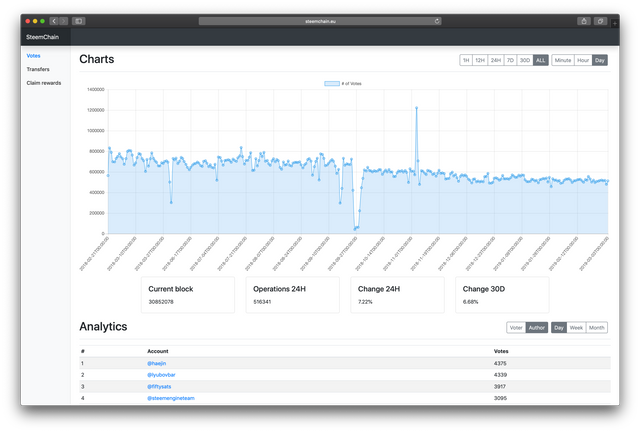
What is SteemChain?
SteemChain in an open source application to analyse transactions and operations from the STEEM blockchain. Store these into a MySQL database and visualise with charts and tables via the web. Looking to bring data analytics to STEEM like websites as blockchain.com do for Bitcoin.
New Features
Removed minute and hour resolution for now, added 365D delta
Commit: 455da0dea3d03be4ce1f40316a666c3e21b2d012
As Chart.js is not suited to handle large amounts of data points, for now the minute and hour resolution have been removed. The default is set to day. The periods have also been adjusted to accommodate this change. In addition a 365 day delta has been added.

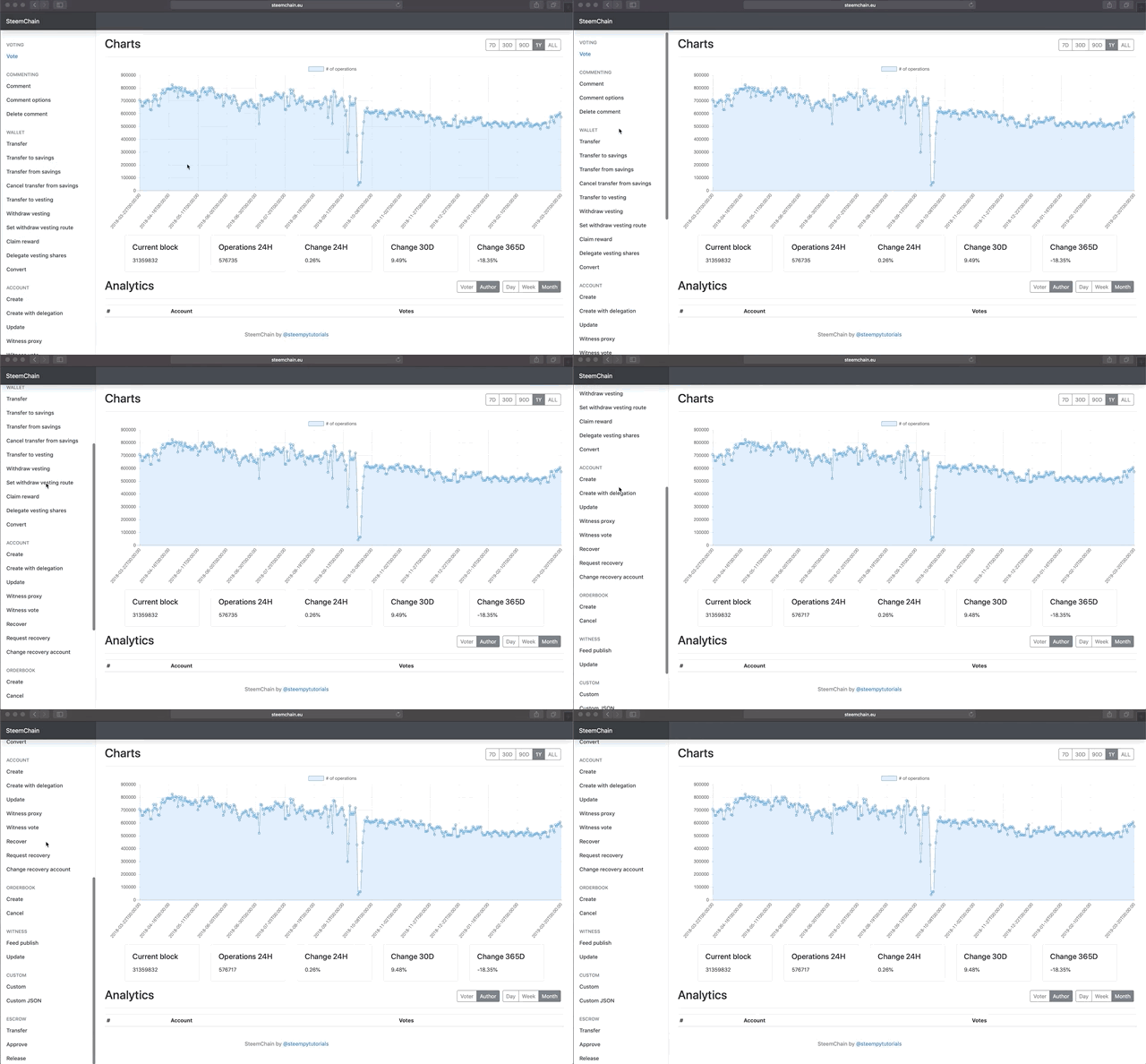
Added all operations types to the front-end
Commit: ce036d351e571cd01e3012274158c98d339a90a2
To enable easy scaling to all operation types a dynamic view has been created to retrieve chart data. All variables are retrieved from the path.
# front-end/api/urls.py

path('<slug:type>/<slug:delta>/<slug:period>', CountData.as_view()),

# front-end/api/views.py

# API for count chart data
class CountData(APIView):
    # Unused user authentication classes
    authentication_classes = []
    permission_classes = []

    def get(self, request, format=None, *args, **kwargs):
        # get resolution, period and operation type
        delta = kwargs['delta']
        period = kwargs['period']
        operation = kwargs['type']
        end = datetime.now()

        # get operation count model
        self.model = get_model_count(operation)

        # calculate start
        start = get_start_day(period, end)

        # ALL or specific periode
        if start:
            ticker = self.model.objects.filter(timestamp__range=(start, end)).order_by('timestamp')
        else:
            ticker = self.model.objects.all().order_by('timestamp')
        serializer = VotesCount(ticker, many=True)


        x = []
        y = []

        # Omit last result, append data into lists
        for row in serializer.data[:-1]:
            x.append(row['timestamp'])
            y.append(row['count'])

        # datastruct for response
        data = {
            "label": '# of operations',
            "labels": x,
            "data": y,
        }

        return Response(data)
The correct database model is retrieved by calling get_model_count. I was unable to figure out a way to dynamically link the operation to the correct model, as the models are classes. This resulted in rather large if/else statements.
# front-end/api/views.py

# return count model for operation type
def get_model_count(operation):
    if operation == 'votes':
        return votes_count_day
    elif operation == 'transfers':
        return transfers_count_day
    elif operation == 'claim_rewards':
        return claim_rewards_count_day
    elif operation == 'delegate_vesting_shares_operation':
        return delegate_vesting_shares_operation_count_day
.
.
.
Linking to each operation type has been made simple by maintaining the same naming scheme as the STEEM blockchain.
# front-end/templates/index.html

<li class="nav-item">
    <a id="comment_operation" class="nav-link" href="/comment_operation">
        <span data-feather="file"></span>
        Comment
    </a>
</li>
The operation type is then captured and send to the dynamic OperationView which uses a new dynamic operation.html to retrieve and plot the chart.
# front-end/pages/urls.py

path('<slug:operation>', OperationView.as_view()),

# front-end/pages/views.py

class OperationView(View):
    def get(self, request, *args, **kwargs):
        return render(request, 'operation.html')
Split up operations.py
Commit: b3ab0619b678f0520b5d7f3aa6d335afe327341d
As recommended operations.py has been split up into smaller more manageable files.
operations_account.py
operations_comment.py
operations_custom.py
operations_escrow.py
operations_orderbook.py
operations_vote.py
operations_wallet.py
operations_witness.py
Next update
The next update will look to replace Charts.js for a more suitable charting library.
Known issues
- At the moment if no operation occurred in a specific period, the period does not get added. By default this should be set to 0.
Roadmap
- Replace Charts.js for a library that is better equipped to deal with large amounts of data points and has a zoom function
- Add analytics for all operation types
- Add user analytics
- Create a daily automated report of important data posted to a STEEM account
- Create an overview with most relevant data as the home page
- Write documentation
Thank you for your contribution.
operations.pyas recommended in your last utopian post, this looks good. It is recommended that you start to add unit tests to cover these changes.import *is in general not a good idea. I can understand it is handy, but as your project grows, so is the module dependency, and sometimes same function names will become probromatic especially if there is no namespace.===instead of==.if .. else if..using the following styles:Your contribution has been evaluated according to Utopian policies and guidelines, as well as a predefined set of questions pertaining to the category.
To view those questions and the relevant answers related to your post, click here.
Need help? Chat with us on Discord.
[utopian-moderator]
Thanks for your feedback. I will have to do some research on unit tests, as this is new to new, and hope to have this implemented next week. Awesome to see the switcher, makes a lot of sense.
I will implement your other feedback in the next update.
Thank you for your review, @justyy! Keep up the good work!
Hi @steempytutorials!
Your post was upvoted by @steem-ua, new Steem dApp, using UserAuthority for algorithmic post curation!
Your post is eligible for our upvote, thanks to our collaboration with @utopian-io!
Feel free to join our @steem-ua Discord server
Hey, @steempytutorials!
Thanks for contributing on Utopian.
We’re already looking forward to your next contribution!
Get higher incentives and support Utopian.io!
Simply set @utopian.pay as a 5% (or higher) payout beneficiary on your contribution post (via SteemPlus or Steeditor).
Want to chat? Join us on Discord https://discord.gg/h52nFrV.
Vote for Utopian Witness!